








The last few days saw the arrival of a great new avionics add-on for Microsoft Flight Simulator. As we initially reported in the latest development update for the SimWorks Studios RV-14, TDS Sim Software is now making its GTNXi 750 available in the MSFS virtual cockpit, with a select few airplanes at launch, but looking to expand compatibility to many additional third-party airplanes in the future.
The TDS GTNXi has actually been available for a while, but as an external app that you’d have to run in a separate window. Great functionality, but with an immersion-breaking implementation. That changes now, as TDS is making this product available with full virtual cockpit integration in MSFS. If you’re an existing owner of Just Flight’s PA-28 Arrows and Warrior, then you should get an update very soon that adds compatibility with the GTNXi.
In terms of functionality, we’re looking at a similar solution to PMS50’s GTN750, but the GTNXi does provide improved functionality – and it’s cheaper. You see, the PMS GTN750 quickly gained popularity after it launched last year, as it provided a very intuitive and easy-to-use avionics package with some great features. It does have a free version available, but due to its limited functionality, only the Premium version can be compared to the new TDS GTNXi. And there, the GTNXi easily wins in terms of price: at 39.95€ (at the time of this writing), it’s significantly more affordable than PMS’ offering, which costs either 25€ per year or 75€ for a lifetime license. It’s also based on the Garmin Trainer, thus using the actual navigation data found on real planes. While this sounds good on paper, you may find that there are some discrepancies in relation to the MSFS data.
In terms of functionality, the TDS GTNXi offers all the basics you would expect from a simulation of the real-world Garmin package. It’s a touch-based screen that is significantly more intuitive than the traditional knobs found in the G1000, for example. It also includes a host of very cool features, such as a very detailed map, charts (US only for now, but with no Navigraph subscription required), obstacles and wire data, graphical flight planning, full flight-planning capabilities, and much more.
A particularly interesting feature of the GTNXi is the glide range ring. In case of an emergency, where pilots have lost power and will need to glide to the safest location, the TDS GTNXi can prove to be an invaluable tool, by calculating the glide range distance and plotting the path to the nearest airport, all while constantly calculating the gliding profile to provide real-time range estimates.
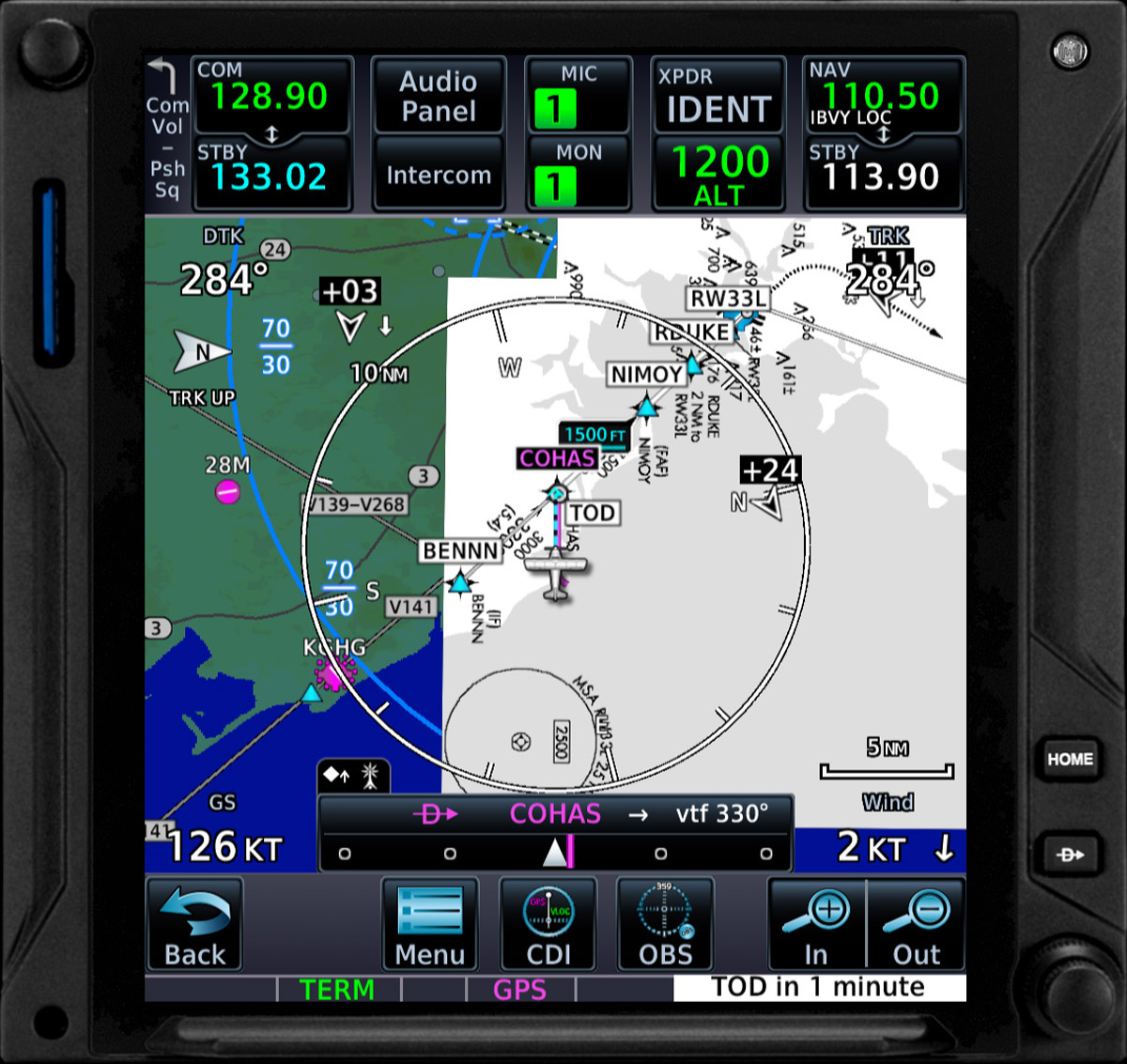
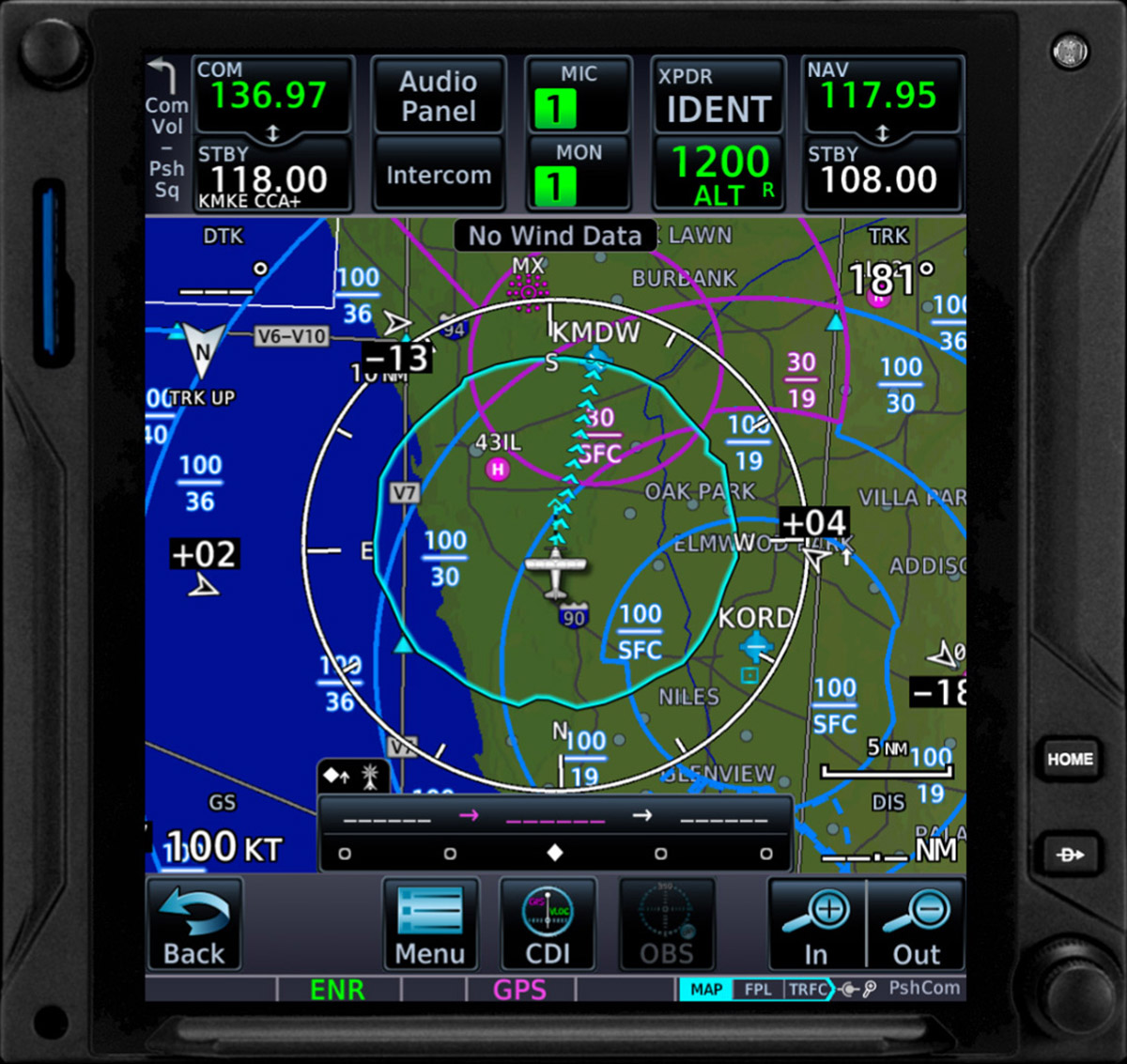
Unfortunately, one critical feature that is lacking is a weather map. This is something that Asobo has yet to provide full access to developers, so there’s no real implementation of such functionality yet in the sim, although some solutions can show some basic visual information. There’s none of that here yet, but this will surely change in the future as MSFS matures.
The TDS GTNXi includes both the 750i and 650i panels. The 750i is definitely the most useful, as it’s bigger and nicer to use, but they work independently, so you can actually have both panels running at the same time and split functionality between the two.
For now, the GTNXi will become available to use in Just Flight’s Arrows, but there’s already expected compatibility with the upcoming SWS RV-14 and the Flysimware Cessna 414A Chancellor. The H145 helicopter is also being supported very soon. TDS develops the GTNXi, but third-party airplane developers need to add support for this package in their own airplanes, so do reach out to your favorite developer if you’d like to see the GTNXi being added to a specific airplane.
For further details, check the official TDS website, where you will find detailed information about features, compatibility and price for the GTNXi. Overall, it’s a hugely promising new add-on for MSFS, and one you should definitely consider for more immersive and enjoyable flights. Worth a look!









