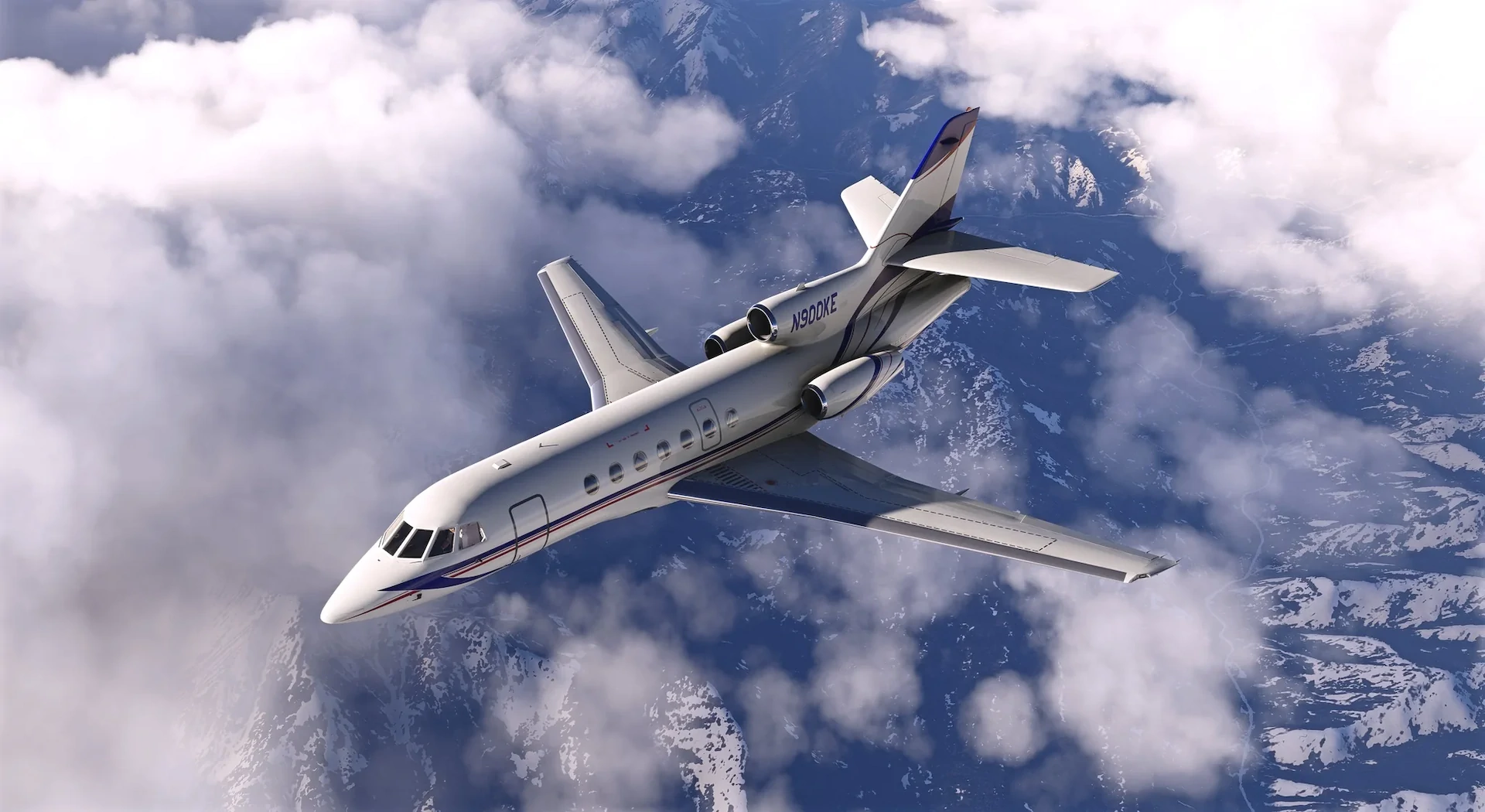
When Contrail released the FA50 at the end of June, the first Falcon of any kind to reach Microsoft Flight Simulator, it was natural to wonder how a first-time aircraft developer would handle the inevitable wave of post-release bug reports. Since then, Contrail has given us an answer, shipping experimental builds nearly every day since launch while the community voted on features and steered feedback directly through its Discord. All of that work has now been rolled into v1.0.2.
The headline item in v1.0.2 is the flight model, which Contrail says has been reworked across most of its parts. The changelog (fully reproduced below) notes that cruise performance now matches the book figures more closely, so the aircraft no longer needs a higher-than-expected N1 setting to hold cruise Mach. Contrail says the response to the revised handling from content creators, real pilots, and the community has been overwhelmingly positive.
The autopilot section of the changelog addresses several of the more consequential issues reported at launch. VNAV now correctly captures and flies the descent profile after dialing the altitude selector down while in altitude hold, and the autopilot can no longer be engaged on the ground, which previously caused it to trim fully nose-up. A new keybind allows Go-Around mode to be triggered from hardware and controller setups, and the autothrottle can now be used to apply takeoff thrust, part of a broader autothrottle expansion that Contrail says now covers takeoff, climb, and cruise.

On the systems side, two fixes stand out: uncommanded engine shutdowns that could occur on the runway, in flight, or when opening the bus tie have been resolved, and the aircraft’s systems no longer unexpectedly shut down while running on ground power. The GNS-XLS now initializes to the nearest airport instead of a random location, SimBrief imports now bring in latitude/longitude waypoints and automatically convert oceanic coordinates into a format the unit accepts, and the transponder now follows its mode selector correctly, with a working standby position.
Elsewhere, the thrust reverser sound is now louder and fuller both inside and outside the aircraft, missing cabin and baggage door sounds have been restored (an issue that particularly affected MSFS 2024’s walkaround mode), and a new active noise cancellation option can reduce ambient cockpit noise. Rain now appears on the passenger cabin windows, the airstair can be walked on in MSFS 2024, and missing collision boxes have been added, so you can no longer stroll straight through the fuselage in avatar mode.
That’s a lot, but Contrail is upfront about what remains. The developer says it is actively chasing a crash-to-desktop issue affecting some MSFS 2020 users, and the online documentation, originally planned to be ready by now, was pushed back as bug fixes took priority. With v1.0.2 out, Contrail says its focus now shifts to building out that documentation.
The FA50 is available now through the Contrail Shop for MSFS 2020 and 2024, priced at US$38.28 (around 40€). A quick note for our own readers: Captain’s Club members get a 15% discount on Contrail purchases, so that applies to the FA50 too!
Falcon 50B Changelog — v1.0.2
Autopilot
- #766 Autothrottle can now be used for applying take off thrust
- #771 Go-Around mode can now be triggered with the “AUTO THROTTLE TO GA” keybind, for use with hardware and controller setups
- #798 Flight plan waypoint tracking reliably improved
- #818 The autopilot can no longer be engaged while on the ground, which previously caused it to trim fully nose-up
- #823 VNAV now correctly captures and flies the descent profile after you dial the altitude selector down while in altitude hold
- #830 Entering Climb mode when well below the selected climb speed no longer causes an excessive pitch-down and unwanted descent (Note that the real autopilot has a minimum climb rate of 100 fpm for this mode, so considerable pitch down is expected when you are much slower than 250kt at the time of activation)
Instruments & Cockpit
- #733 Added data export so third-party hardware can read and mirror the in-sim navigator
- #755 The aircraft’s systems no longer unexpectedly shut down while running on ground power (GPU)
- #765 The EHSI moving map now draws correctly even when there are very long distances between flight plan legs
- #769 The BAT 1 and BAT 2 lights now turn off after the APU starts, as expected
- #770 The HOT BAT warning is no longer overly sensitive and will not trigger under normal operation, even on hot days
- #782 Latitude/longitude waypoints from SimBrief flight plans are now imported into the FMS
- #799 The APU now starts reliably on the ramp after a flight during turnaround
- #812 The two previously unused screws at the top of the EHSI now work — the top-left adjusts Decision Height (DH) and the top-right adjusts map Range (RNG)
- #816 The overhead battery charge/discharge ammeters now move smoothly instead of getting stuck
- #819 The GNS-XLS now initializes to the nearest airport and lets you edit the entry, instead of picking a random location
- #820 The GPWS glideslope warning is no longer overly sensitive
- #824 The Radio Master no longer switches off on its own during flight, which previously dropped COM2
- #825 The standby inverter switch now defaults to the correct 1/OFF position
- #826 Fixed an uncommanded engine shutdown that could happen when opening the bus tie
- #827 Fixed uncommanded engine shutdowns that could occur on the runway and in flight
- #828 The standby whiskey compass now shows the correct heading instead of being stuck pointing north
- #837 The autopilot panel button labels are now larger and easier to read
- #838 The transponder now follows the mode selector correctly — standby works and it no longer reports Mode C at all times
- #840 The center panel totalizer and FMS now record fuel burn correctly when using time acceleration
- #842 The SimBrief import now automatically converts oceanic/coordinate waypoints into the format the GNS-XLS accepts, so they import without manual conversion
- #844 The Davtron clock now keeps accurate time at higher simulation rates
- #845 The EFIS dimming rotary knobs now show the correct cursor when you hover over them
Sound
- #736 The thrust reverser is now louder and fuller, with more presence in the cockpit and a stronger roar from outside the aircraft
- #767 Fixed missing cabin and baggage door sounds that some users experienced, particularly in MSFS 2024 walkaround mode
- #843 Added a noise-cancelling option to reduce ambient cockpit noise
Cabin
- #793 Rain now appears on the passenger cabin windows
Modeling
- #590 Added the missing collision boxes, so you can no longer walk through the aircraft in avatar mode or pass through the walls with the cockpit camera
Exterior & Textures
- #737 Exterior visual effects now stay visible during the day instead of disappearing in daylight
- #768 The fuel cap texture is now present again
- #772 The airstair can now be walked on in MSFS 2024 walkaround mode
Lighting
- #682 Fixed a few cockpit buttons and labels which were lit at night
- #722 The emergency lights annunciator now illuminates when turned on with batteries off, and the main entry door instructions and underwing lights now illuminate as well
- #821 The emergency lights switch now actually controls the lights instead of having no effect
Flight Model
- #751 Cruise performance now matches the book figures more closely, so you no longer need a higher-than-expected N1 to hold cruise Mach
- Reworked most parts of the flight model, thanks to CanadianCaptainMoustache!
MSFS Addons is reader-supported. When you buy through links on this page, we may earn an affiliate commission at no additional cost to you. Thank you!