For many virtual pilots, the pre-flight phase is a ritual. You generate the flight plan, check the load sheet, and then comes the weather briefing. While veteran simmers can read a raw METAR string like a second language, plenty still find deciphering 27012KT 230V310 a bit daunting.
A new freeware utility called MetArt has just been released to help with this difficulty. Developed by Mathéo, who describes it as a passion project, the tool acts as a dedicated aviation companion for Microsoft Flight Simulator (2020 and 2024). It aims to take the mental math out of runway selection and weather interpretation.
While full electronic flight bags often include weather data, MetArt strips away the complexity to focus solely on atmospheric conditions. The developer says the goal is to offer a helpful tool that makes briefing faster and flying smarter.
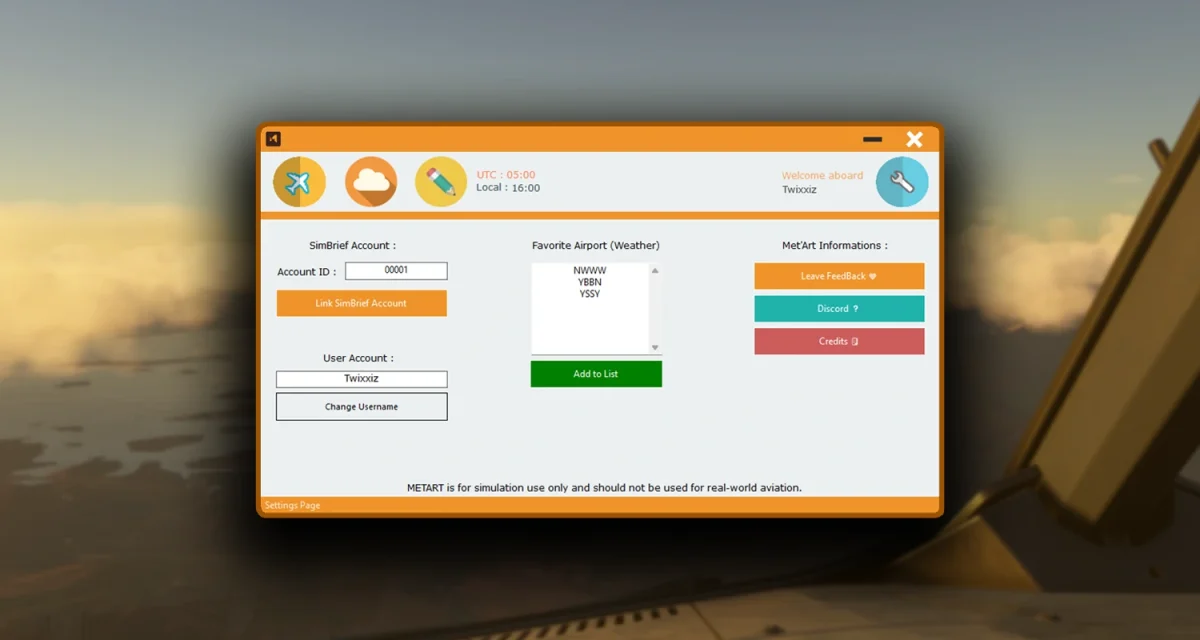
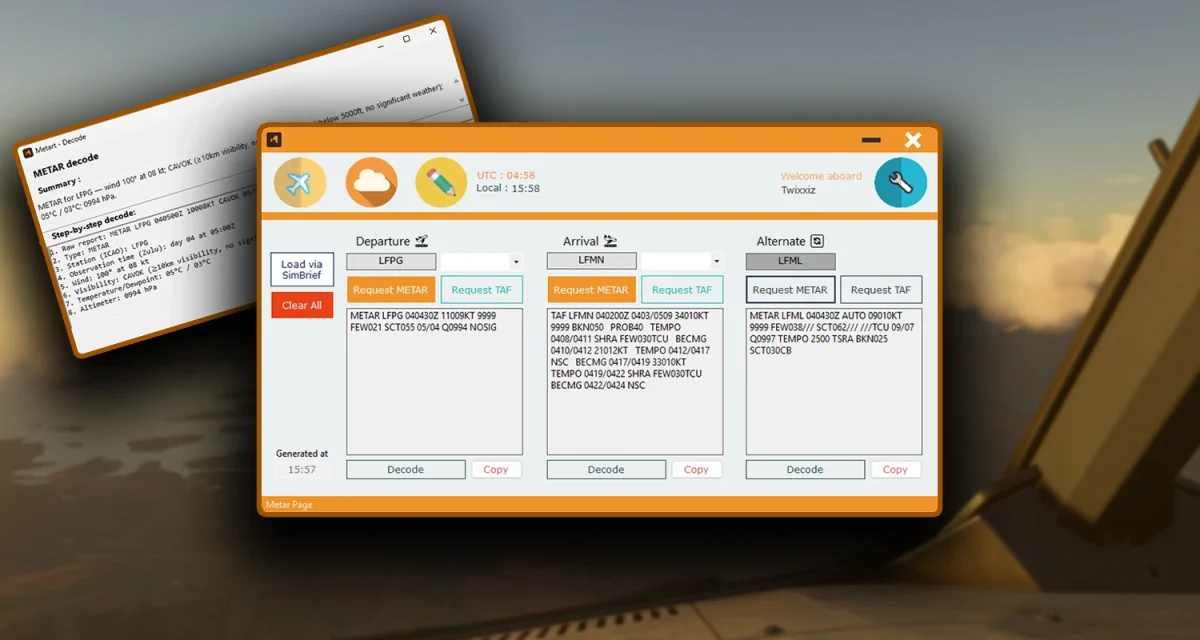
The application integrates directly with SimBrief. By linking your account, MetArt pulls your current Operational Flight Plan, including your departure, arrival, and alternate airports.
More importantly, it translates them. The app takes the raw METAR and TAF data and decodes it into a step-by-step plain English summary.

Visualizing the crosswind
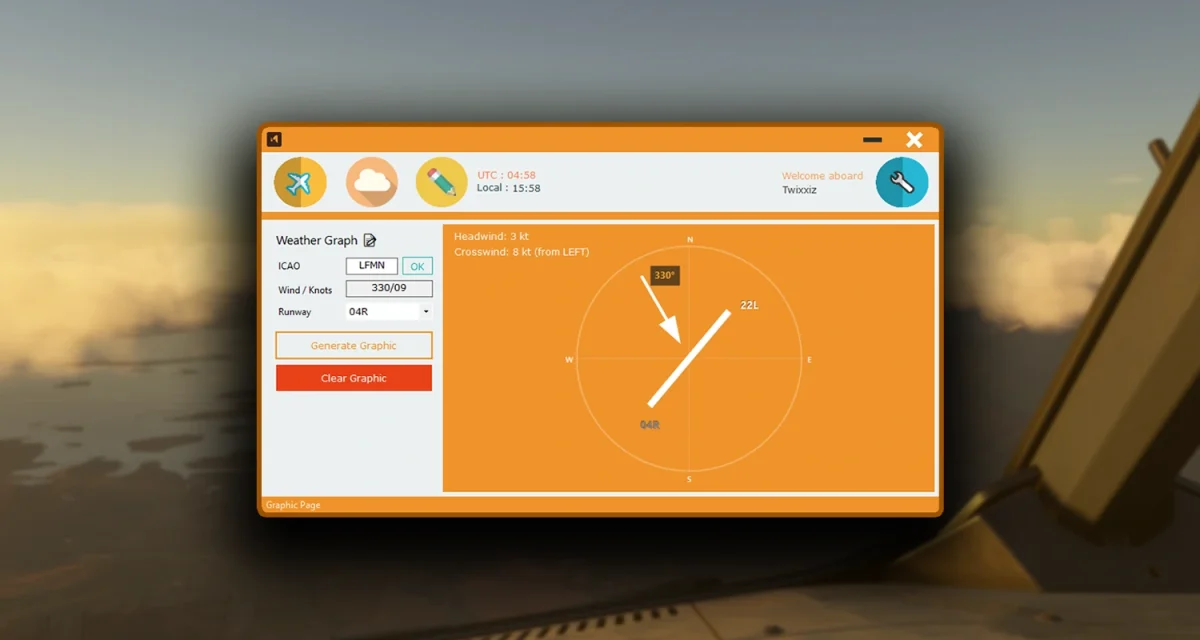
One of the more practical features in MetArt is the wind visualization tool. Calculating crosswind components is a critical part of determining the active runway, but it can be tricky to visualize on the fly.
MetArt includes a generated graphic that displays the wind direction relative to the runway heading. It breaks down the data into clear headwind and crosswind components. This is particularly useful when flying into airports with multiple runway configurations, allowing you to verify why SimBrief might have selected a specific runway or to help you make your own decision if flying VFR.
A growing passion project
The tool is currently in active development. The developer recently pushed version 1.4.0, which addresses several issues.
It is worth noting that this is a standalone external application, not an in-game panel. This places it in the category of “second monitor” utilities, similar to how many people use vPilot or Little Navmap. For a free utility, it offers a clean, distraction-free way to keep an eye on the elements that matter most to your flight’s safety.