The TDS GTNXi Pro has become one of the most popular third-party avionics packages among GA pilots in Microsoft Flight Simulator, largely because it runs Garmin’s official GTN Xi Trainer software and reproduces many of the unit’s real capabilities. It offers full GPS navigation, flight planning, instrument procedures, terrain awareness, and integration in a growing list of aircraft. Until now, however, its feature set remained focused on fixed-wing operations.
TDS Sim Software is now expanding that scope with the introduction of rotorcraft support for the GTNXi Pro in both MSFS and X-Plane, describing this as a significant milestone that brings the unit’s functionality closer to what helicopter pilots use in real operations.
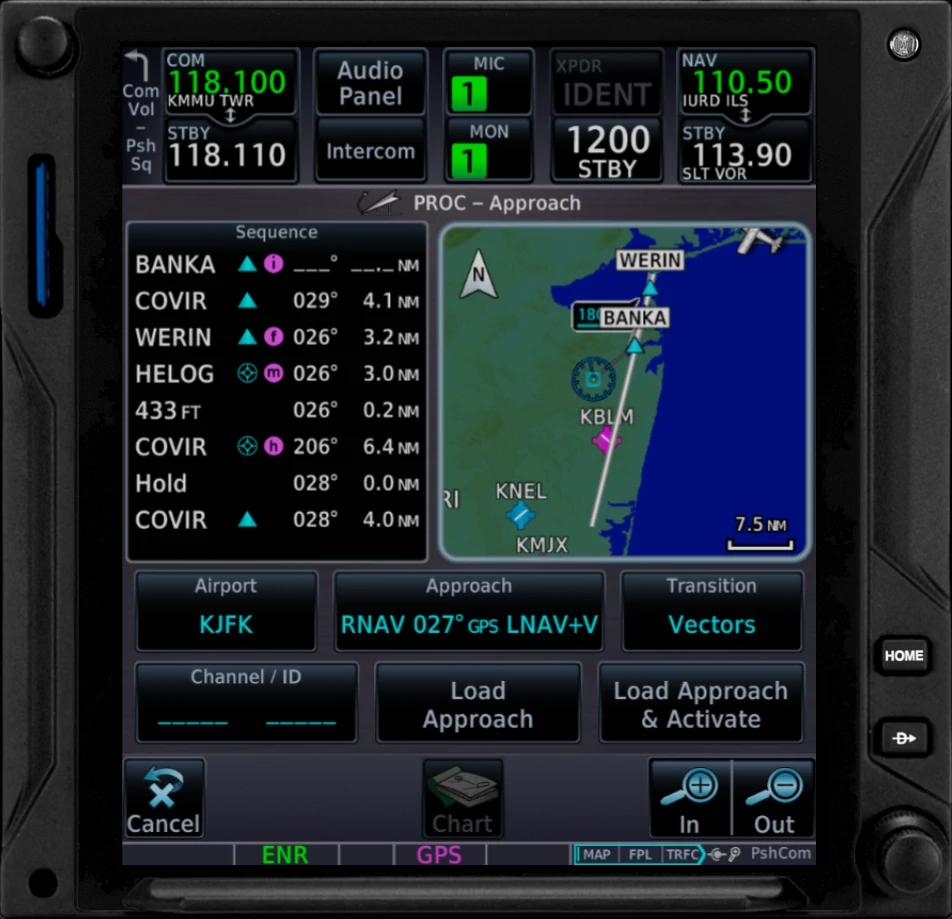
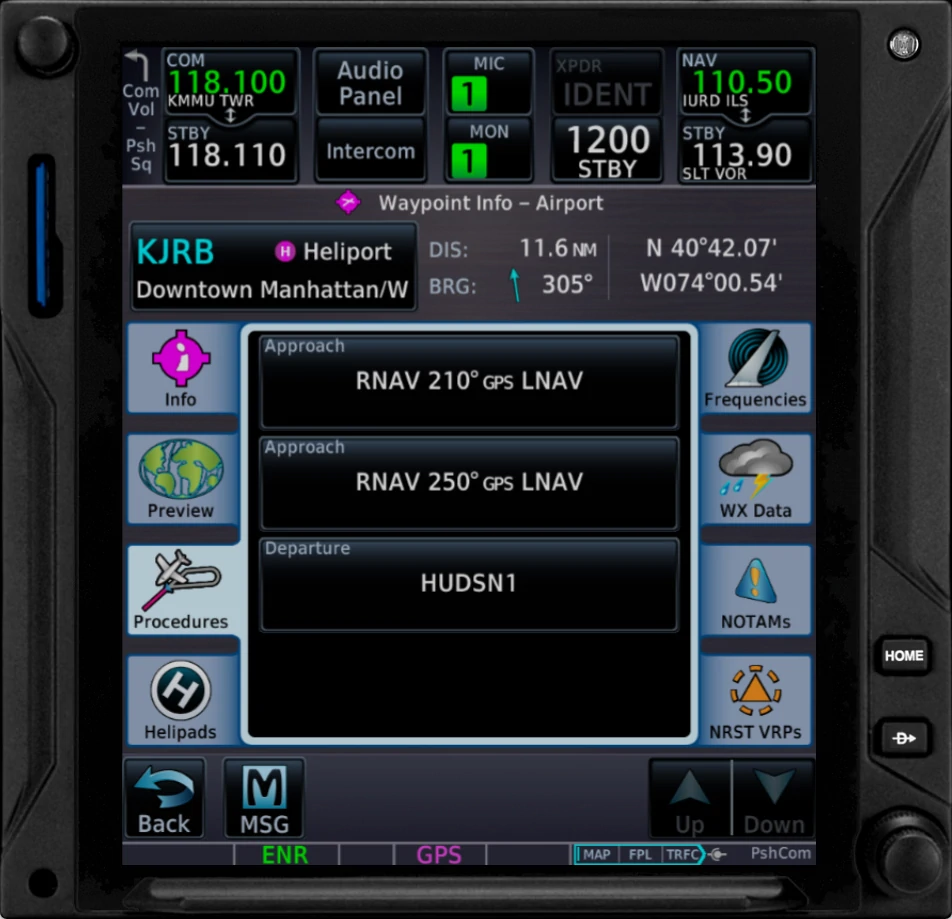
Expanded Navigraph navdata for helicopter pilots
The update introduces a specialised Navigraph dataset covering rotorcraft-specific infrastructure. According to TDS, the new package includes:
- More than 2700 heliports
- Approximately 1300 procedures, such as SIDs, STARs, and instrument approaches
- Additional frequencies and navigation details not present in fixed-wing data
This complements the standard Navigraph navdata already supported in the GTNXi Pro but adds helicopter-specific information that was previously missing.
Introduction of HTAWS
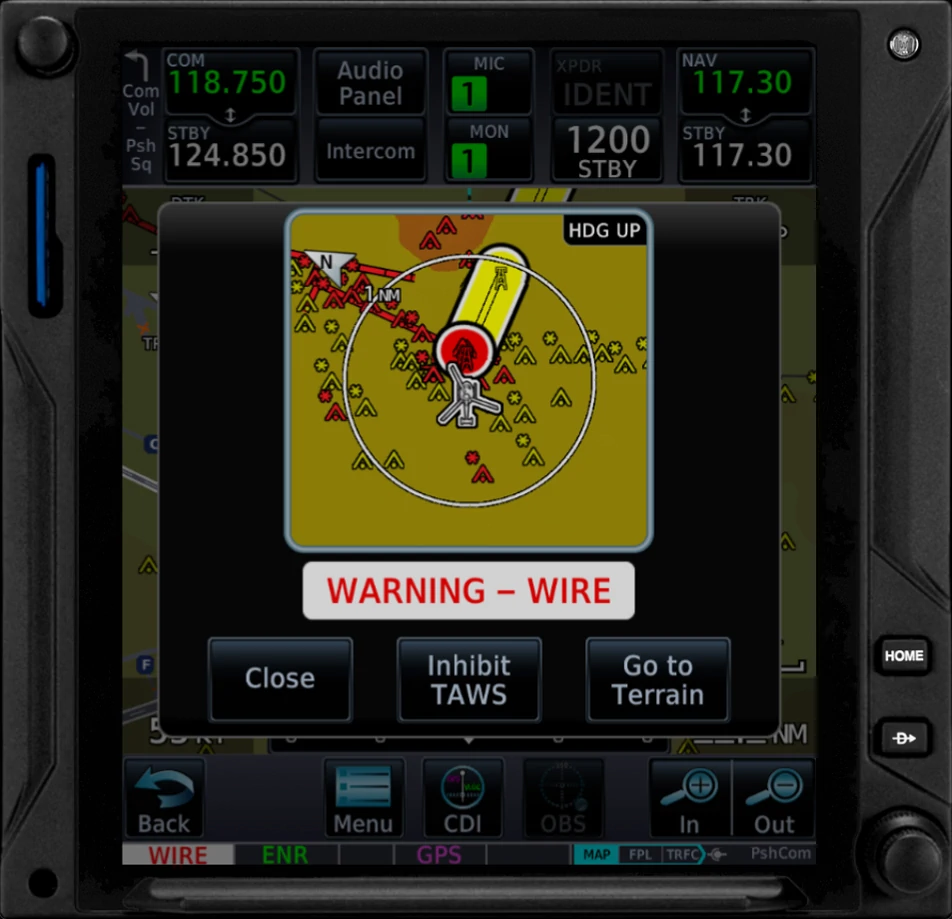
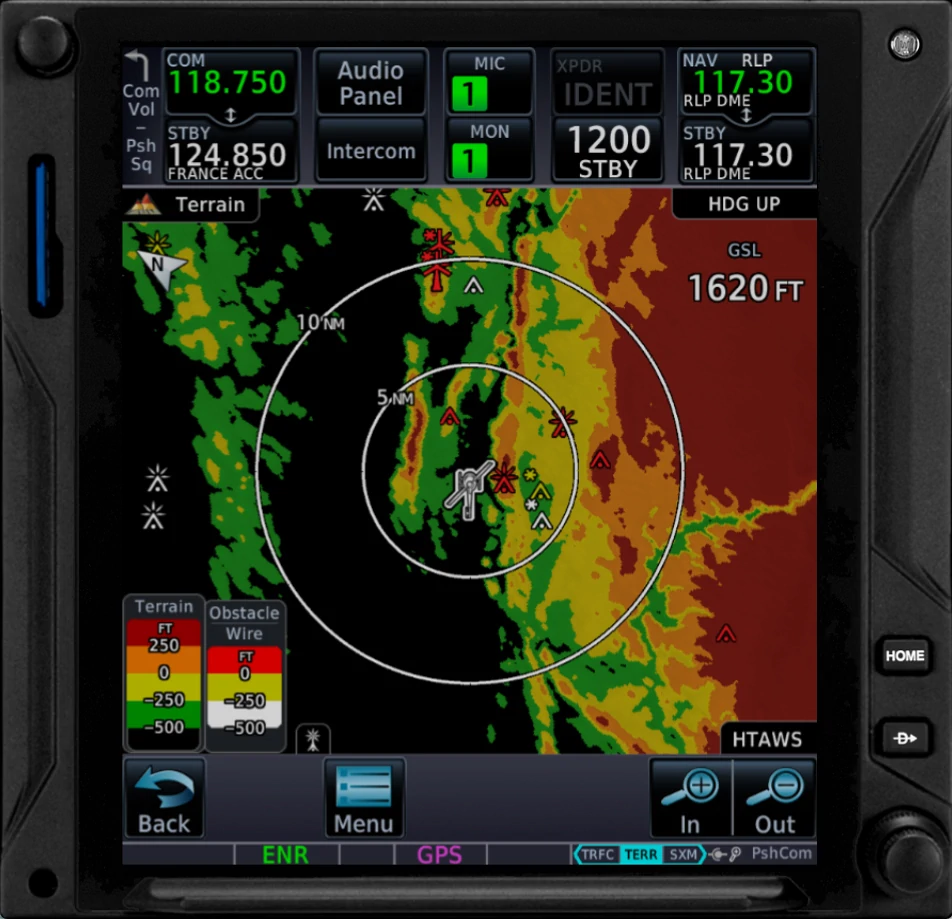
Another major addition is HTAWS, the helicopter variant of Garmin’s terrain and obstacle warning system. TDS highlights several features here:
- Colour logic unique to HTAWS, using green, orange, and red
- Forward Looking Terrain Alert (FLTA), which issues advance warnings for terrain, obstacles, and powerlines
- A set of ten altitude callouts, replacing the single “five hundred” warning found in fixed-wing TAWS
The developer says this improves situational awareness in low-level helicopter operations.

Additional obstacle coverage
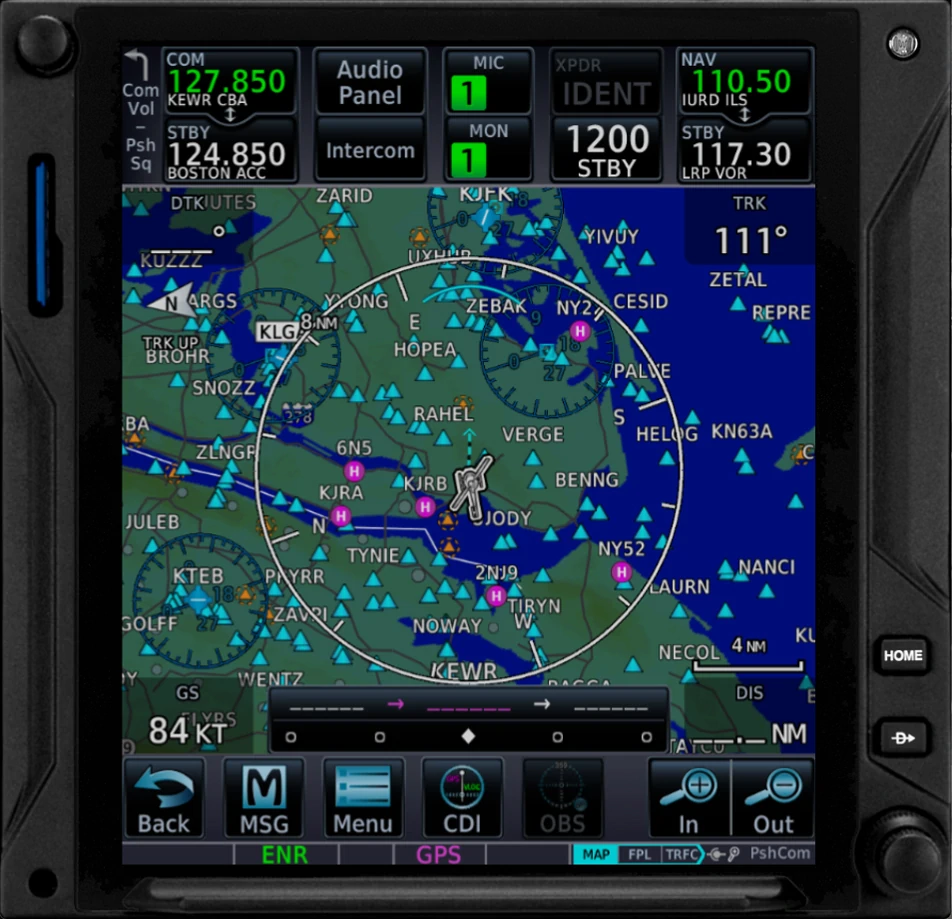
When a rotorcraft is selected in the simulator, the GTNXi automatically switches to a dedicated obstacle database. TDS reports that this dataset contains over 30,000 additional obstacles and powerline coverage for North America.
Required versions and availability
Rotorcraft support is available after updating to the GTN Xi PC Trainer v20.42 or higher and the TDS GTNXi Pro for MSFS v1.3.1.0 or higher.
For existing users, the update can be installed through the TDS GPS Manager. If you’re a new customer looking to purchase the TDS GTNXi Pro for MSFS, you can get the full package for 64.95 EUR.