








Learning the ropes in Microsoft Flight Simulator 2024 can feel like a daunting task, especially when faced with an overwhelming number of keyboard commands. Even experienced simmers can find themselves searching for the right key at the worst moments, given the sheer number of keyboard controls but also the changes that have been made on some key controlls from MSFS 2020.
To make life a little easier, two excellent resources on Flightsim.to offer simple ways to familiarize yourself with the default keyboard controls—and they’re worth having in hand!
A detailed list of commands
The first resource, “Default MSFS 2024 All Keyboard Commands”, is exactly what it sounds like: a comprehensive list of every shortcut in the simulator. Categorized into areas like camera controls, navigation, and engine management, this guide is both practical and easy to follow.
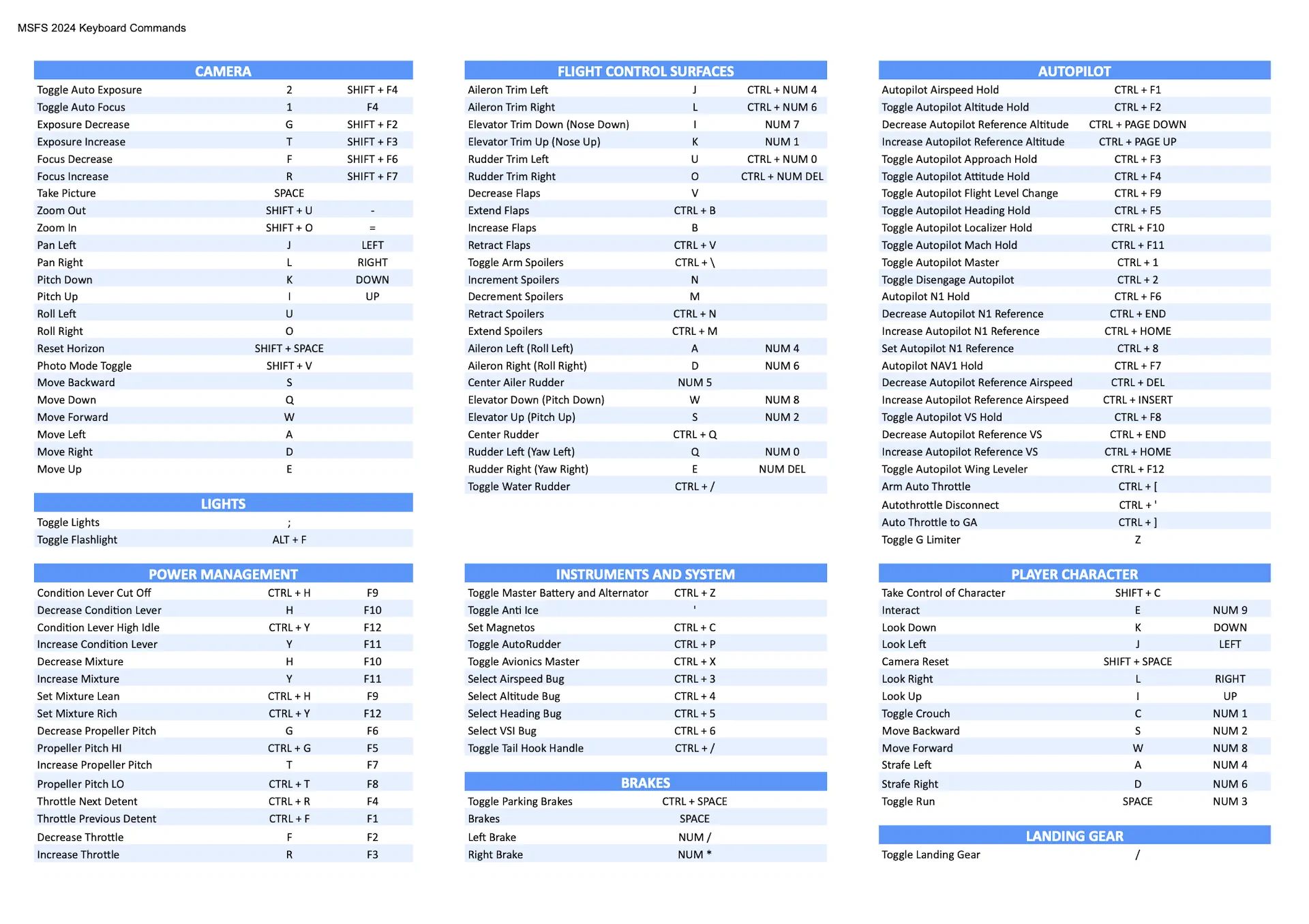
Available with a choice of light or dark themes, it’s a great option whether you want to keep it open on your second monitor or print it out as a quick reference. No more guessing which obscure key combination toggles an autopilot function—it’s all right there, clearly laid out for you.
You can download the full guide here.
A visual guide for quick reference
For those who prefer a more visual approach, the “Keyboard Layout with Default MSFS 2024 Commands” is a color-coded layout that maps essential shortcuts directly onto a standard QWERTY keyboard. It highlights key functions like throttle control, camera adjustments, and autopilot toggles with distinct colors, making it easy to spot the commands you need at a glance.
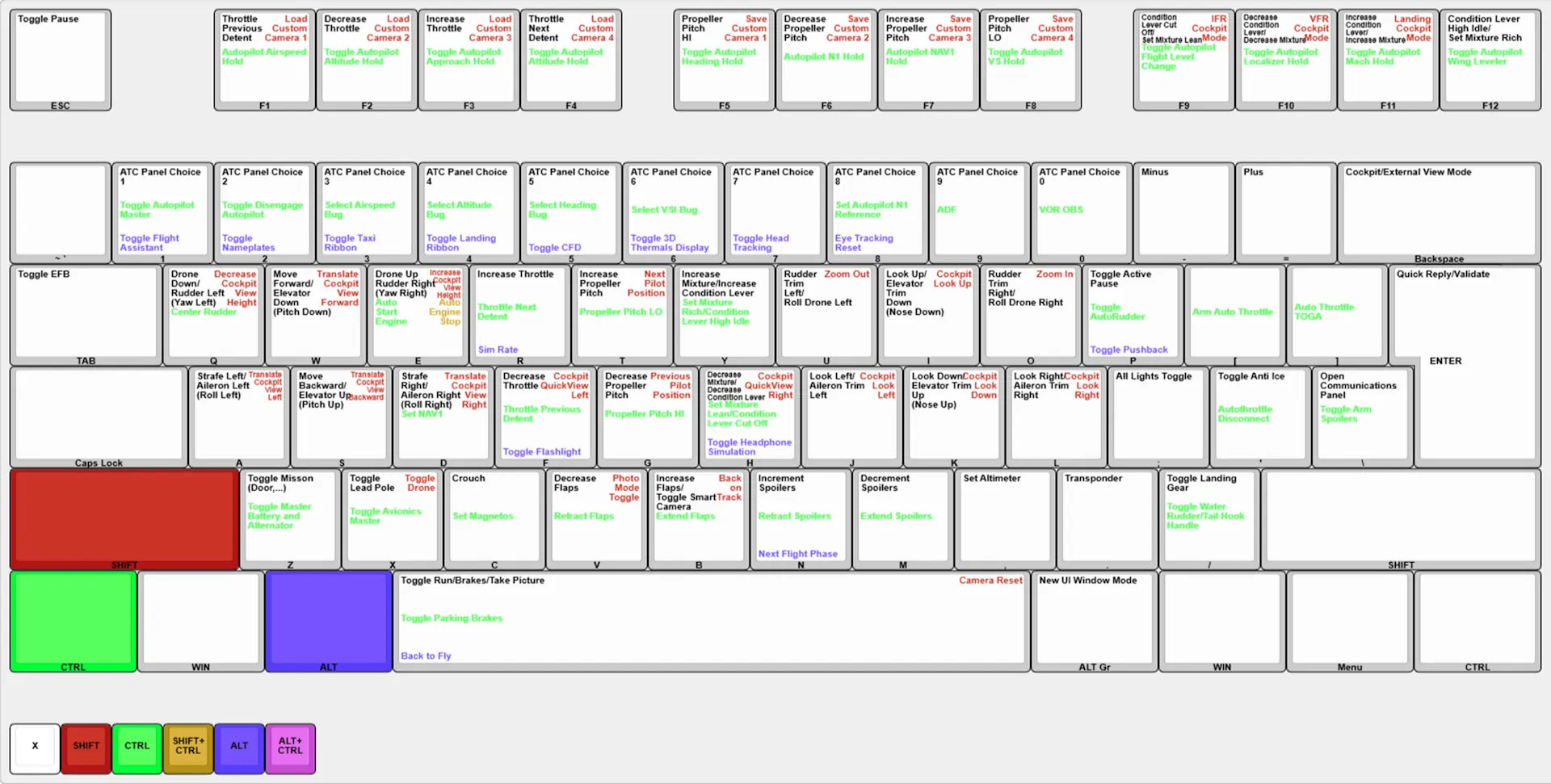
This layout is particularly useful for simmers who want a quick reference without scrolling through a list. Want to know what the P key does? Simply look at the keyboard layout to find that it not only toggles Active Pause but that you can combine it with the ALT key to activate pushback.
Check out the keyboard layout here.
Microsoft Flight Simulator 2024 is a complex platform with an incredible amount of functionality, and part of the challenge is learning how to access everything efficiently. These tools provide straightforward ways to get up to speed on the default controls, hopefully saving you time, reducing frustration, and helping you focus on what really matters—flying!









